
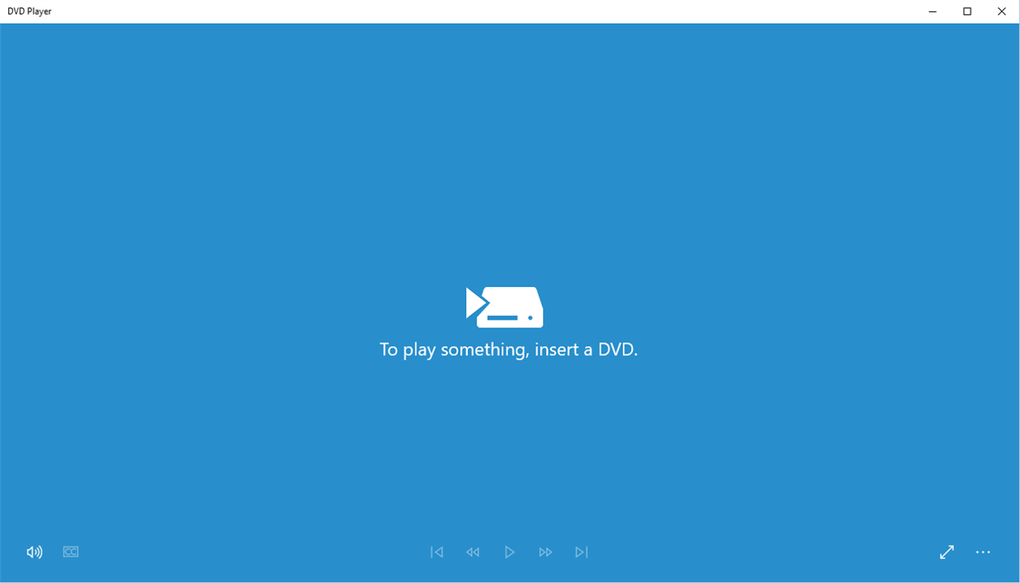

Download Windows DVD Player – free, secure DVD playback for Windows 10
Overview
Windows DVD Player is Microsoft’s dedicated DVD‑playback utility built especially for the Windows 10 ecosystem. Designed for PCs and laptops that already feature an optical disc drive, the app delivers a lightweight, no‑frills experience that lets users watch commercial movies, home‑made video discs, and any standard DVD‑file format without the need for a separate home‑theater setup. The software focuses on speed and stability: disc loading times are measured in seconds, navigation controls are intuitive, and error handling has been refined to keep playback smooth even when a disc has minor scratches or data errors.
Because it is a native Windows application, Windows DVD Player integrates seamlessly with the operating system’s audio and video pipelines, ensuring that subtitles, surround‑sound tracks, and menu navigation work exactly as intended. The app’s stripped‑down design means it does not bloat system resources, making it an ideal choice for older machines or users who prefer a single‑purpose tool over bulky multimedia suites. Whether you’re revisiting a classic movie collection or reviewing a recent project stored on DVD, Windows DVD Player offers a secure, Microsoft‑backed solution that respects your media and your hardware.
Key Features
- Native Windows integration: Optimized for Windows 10, leveraging built‑in codecs and audio routing for flawless playback.
- Fast disc loading: Intelligent caching reduces the time between inserting a DVD and the first frame appearing on screen.
- Simple, intuitive controls: Play, pause, stop, skip, and volume are accessible via a clean on‑screen toolbar and keyboard shortcuts.
- Full menu navigation: Supports DVD‑style menus, chapter selection, and subtitle tracks without additional plugins.
- Robust error handling: Automatically compensates for minor disc scratches or read errors, minimizing playback interruptions.
- Lightweight footprint: The installer is under 30 MB, and the runtime uses less than 100 MB of RAM on idle.
- Secure updates: Receives regular patches through Windows Update, ensuring the latest security and compatibility fixes.
- Free for Windows 10 users: No hidden fees or subscription models; the app is included with the OS and can be downloaded from the Microsoft Store.
Installation & Usage Instructions
Getting Windows DVD Player up and running is a straightforward process that can be completed in a few minutes, even for users who are new to installing software on Windows. Follow these steps for a smooth experience:
- Open Microsoft Store: Click the Start menu, type “Microsoft Store,” and launch the app.
- Search for “Windows DVD Player”: Use the search bar at the top right corner and locate the official Microsoft offering.
- Download and install: Click the Get button. The Store will handle the download, verify the package, and install it automatically. The process typically takes less than a minute on a broadband connection.
- Launch the app: Once installed, you can open it from the Start menu or by double‑clicking any DVD inserted into your drive; Windows will automatically prompt you to use Windows DVD Player.
- Insert a DVD: Place the disc into your optical drive. The app detects the media and begins loading the main menu within seconds.
- Navigate the menu: Use your mouse or arrow keys to select Play, Chapters, or Settings. Subtitles and audio tracks can be switched via the Options button.
- Control playback: The on‑screen toolbar offers Play/Pause, Stop, Fast‑Forward, Rewind, and Volume controls. Keyboard shortcuts (Space for Play/Pause, Arrow keys for navigation) work out of the box.
- Close the app: When you’re finished, click the close (X) button or press Alt + F4. The disc can be ejected safely using the Windows Explorer “Eject” option.
Troubleshooting tips: If the disc is not recognized, ensure the drive’s firmware is up‑to‑date and that no other media player is attempting to access the DVD simultaneously. In rare cases, disabling third‑party codecs can resolve conflicts, but for most users the native Windows DVD Player works flawlessly right after installation.
Compatibility & System Requirements
Windows DVD Player is engineered for the Windows 10 operating system (version 1809 or later) and runs on both 32‑bit and 64‑bit architectures. The application requires a functional optical disc drive (DVD‑R, DVD‑RW, or DVD‑ROM) that is recognized by Windows. Because the software relies on Microsoft’s built‑in media framework, it also supports hardware‑accelerated video decoding on modern GPUs, which helps keep CPU usage low during playback. Below is a quick checklist of the minimum and recommended specifications:
- OS: Windows 10 (Home, Pro, Education, or Enterprise)
- Processor: 1 GHz or faster (dual‑core recommended)
- RAM: 2 GB minimum; 4 GB or more for optimal multitasking
- Storage: 50 MB of free disk space for the application; additional space for temporary cache files
- Graphics: DirectX 11 compatible GPU for hardware‑accelerated decoding (optional but recommended)
- Disc drive: Any Windows‑compatible DVD‑R/RW/ROM drive with a functional read head
- Internet connection: Required only for initial download and subsequent updates via Microsoft Store
The app does not run on earlier Windows versions such as Windows 7 or Windows 8, nor is it available for macOS, Android, or iOS devices. For users on other platforms, Microsoft recommends third‑party media players that support the DVD format. However, Windows 10 users can rely on this free, officially supported solution without worrying about compatibility issues or additional codec installations.
Pros, Cons & Frequently Asked Questions
Pros
- Free and officially supported by Microsoft.
- Lightweight installation with minimal system impact.
- Fast disc loading and responsive playback controls.
- Native integration with Windows 10 eliminates the need for extra codecs.
- Robust error handling for scratched or slightly damaged discs.
- Regular security updates through Windows Update.
Cons
- Only available for Windows 10; no support for older Windows versions.
- Lacks advanced features such as video editing or streaming capabilities.
- No built‑in support for Blu‑ray discs.
- Requires a physical DVD drive, which many modern laptops no longer include.
FAQ
Is Windows DVD Player truly free?
Yes. The app is offered at no cost through the Microsoft Store for all Windows 10 users. There are no hidden fees, subscription charges, or in‑app purchases.
Can I use Windows DVD Player on a PC without an optical drive?
The application requires a physical DVD drive to read discs. However, you can use an external USB DVD drive, which Windows will recognize and allow the player to function.
Does the player support subtitle tracks?
Yes. Windows DVD Player reads and displays subtitle tracks embedded in the DVD. You can toggle subtitles on or off from the Options menu during playback.
Will the player work with region‑locked DVDs?
The player follows the region coding of your DVD drive. If your drive is set to a specific region, the player will only play discs that match that region unless you change the drive’s region setting (subject to the drive’s limit of region changes).
How do I get updates for Windows DVD Player?
Updates are delivered automatically via Windows Update. Ensure that your system’s update settings are enabled, and the latest security and performance patches will be installed without manual intervention.
Ready to enjoy your DVD collection? Click the download button below to install Windows DVD Player from the Microsoft Store, and start watching your favorite movies instantly. Experience fast, secure, and hassle‑free DVD playback on your Windows 10 PC today!







